

Introduction
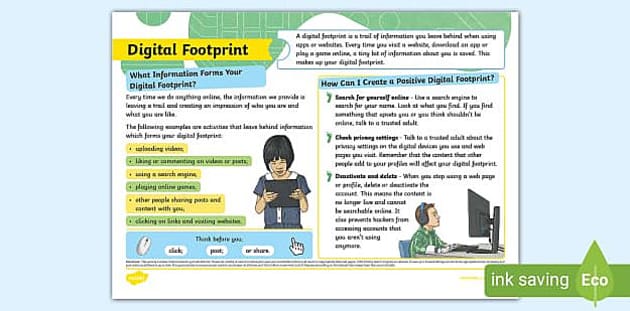
Digital footprints start forming long before children type their first formal search query. Young learners navigate tablets, shared family computers, and connected gaming consoles daily, leaving digital traces with every tap, swipe, and upload. Building healthy digital habits early ensures these traces reflect safety and mindfulness rather than accidental oversharing. Educators and caregivers often seek practical tools that make abstract internet concepts concrete for elementary-aged children. Introducing the free printable digital footprint for kids awareness provides a tangible starting point for meaningful discussions about online behavior. It sounds simple, and that’s the point. Children grasp complex ideas best when paired with visual aids and guided conversations. Related guide: Teachers Of Grades 9–12 Should Expand Internet Safety Instruction To Include Which Of The Following Topics?.
💡 Educational Key Takeaways:
- Core Skill: Structured Digital Footprint For Kids Awareness focused on developing pencil grip, stroke control, and early literacy/math confidence.
- Target Scope: Suited for homeschoolers, preschool, kindergarten, and elementary learners.
- Best Recommendation: Practice 10–15 minutes daily with ergonomic writing tools to reinforce muscle memory without hand fatigue.
What This Printable Covers
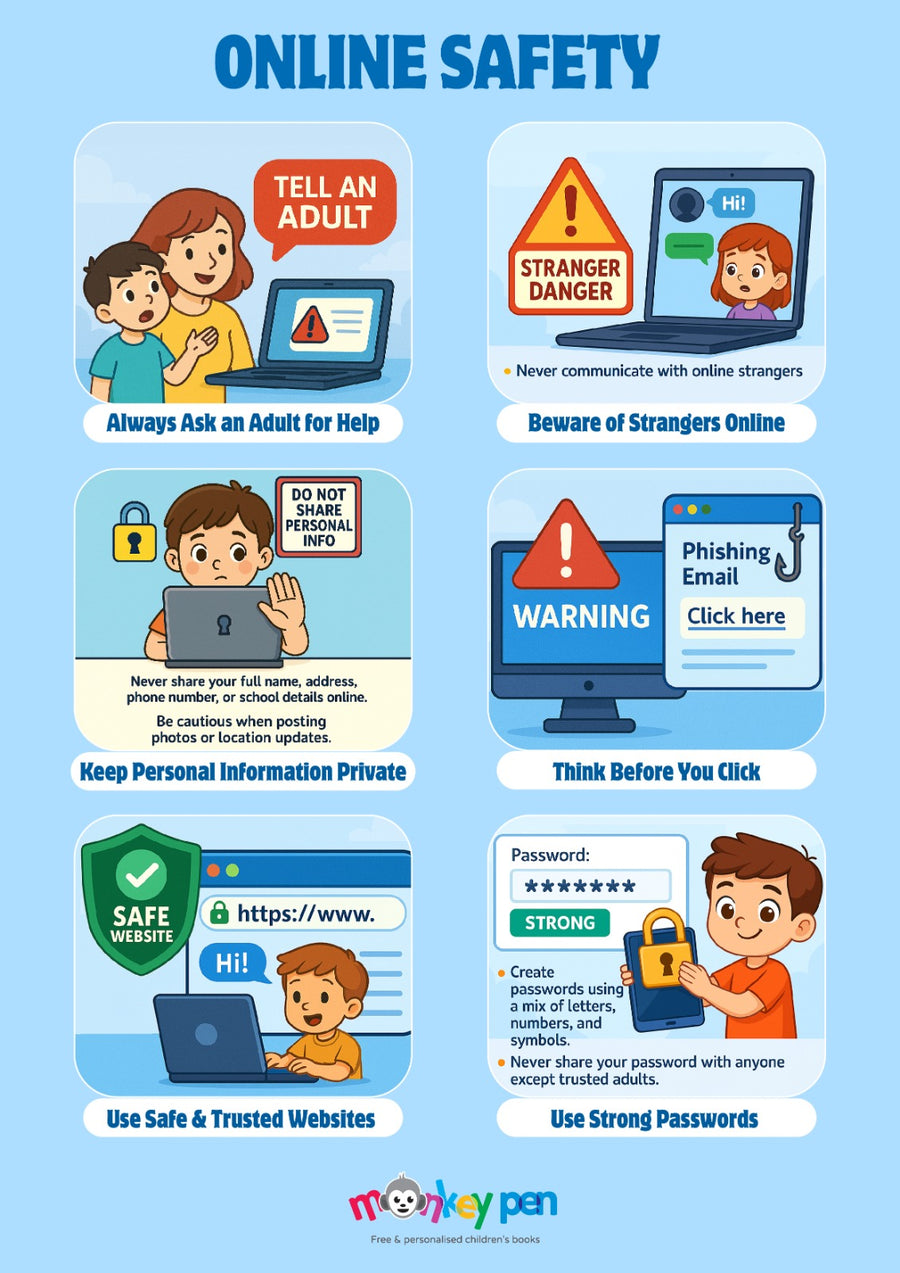
The resource breaks down the invisible concept of online permanence into relatable, age-appropriate scenarios. Children often encounter online risks not through malicious strangers, but through familiar digital spaces like in-game chat features, shared household devices, or video platforms where boundaries blur easily. The activity page guides learners through recognizing what personal information must remain private, including home addresses, full names, and school locations. Through structured exercises, children practice the vital habit of thinking carefully before sharing text, photos, or video content. Furthermore, the material reinforces the comforting message that children are never in trouble for reporting something uncomfortable or confusing they encounter online. Building these protective habits empowers learners to navigate digital environments with confidence.
Key Learning Outcomes
Cognitive development at the elementary level requires concrete representation of abstract rules. This printable focuses on specific skill-building exercises designed to foster long-term digital citizenship. Children learn to identify digital footprints as permanent trails similar to walking in wet cement. According to Common Sense Media, children today encounter digital media at increasingly young ages, making early guidance essential for healthy technology habits. The worksheet strengthens critical thinking by prompting learners to evaluate whether specific online actions are safe to make permanent. Establishing these foundations early supports students as they transition to more independent online exploration during upper elementary grades.
How to Use This Printable
Classrooms and homes function best when digital safety rules remain positive and proactive rather than fear-based. Adults can integrate the printable activities into morning meetings, computer lab introductory sessions, or rainy-day family discussions. Here’s what makes this resource different: it relies on guided reflection rather than rote memorization. Working through the prompts alongside an adult allows children to ask questions in real-time and explore hypothetical scenarios safely. Teachers frequently use similar educational resources to anchor broader units on responsible technology use. Collaborative completion transforms a quiet assignment into an engaging dialogue about digital choices.
Practical Tips for Parents and Teachers
Patience remains the most effective tool when teaching children about online boundaries. Adults should approach the activity with curiosity rather than interrogation, asking open-ended questions about favorite apps and games. Establishing a predictable routine for discussing digital dilemmas helps normalize asking for help. According to the Pew Research Center, a substantial majority of parents worry about their children’s screen time and digital interactions, highlighting the need for structured guidance tools. Keeping conversations calm and approachable ensures children feel safe turning to trusted adults when digital interactions feel overwhelming. Safety is a skill to build over time, not a test to pass or fail.
Age-Appropriate Recommendations
Tailoring digital citizenship lessons to developmental stages maximizes impact and comprehension. Younger children in kindergarten through second grade benefit from basic concepts focusing on private versus public information and asking permission before using devices. Upper elementary students in third through fifth grades can tackle nuanced topics like digital permanence, respectful communication, and recognizing online manipulation. Aligning these lessons with the Common Sense Education Digital Citizenship Curriculum provides a structured pathway for progressive learning. Educators can expand these concepts further by exploring additional guidance materials tailored to specific grade bands. Gradual scaffolding ensures children master foundational habits before encountering more complex digital landscapes.
Young children frequently encounter digital media through shared household devices and gaming chat features — Common Sense Media
Frequently Asked Questions
Navigating digital citizenship education brings common questions from both classrooms and living rooms. Clear answers help adults maximize the value of available learning materials. The following responses address immediate concerns regarding implementation and child online safety frameworks. Reviewing these details supports confident facilitation of digital safety lessons.
Parents express widespread concern regarding children’s early exposure to unmonitored digital environments — Pew Research Center
Explore More Free Kids Online Safety Printables
Expanding digital citizenship instruction requires access to diverse, engaging materials. Adults can pair the digital footprint activity with creative visual exercises found within the collection of safety coloring pages. Integrating varied formats keeps learning fresh and accommodates different learning styles among elementary students. Continuous reinforcement across multiple activities solidifies positive digital habits for the long term.
Developmental Milestone & Activity Table
| Development Stage | Recommended Daily Duration | Primary Learning Objective |
|---|---|---|
| Preschool & Pre-K | 10 – 15 Minutes | Pencil grip development & basic pre-stroke lines |
| Kindergarten | 15 – 20 Minutes | Letter/number formation & spatial line awareness |
| Early Elementary (Grade 1–2) | 20 – 30 Minutes | Fluency, sentence construction & neatness |
Images References




💬 Frequently Asked Questions
📚 Related Articles

Phishing Examples For Kids
Make A Digital Safety Course For Younger Students This Idea Interest Me And I Would Like To Have A Clearer Understanding Of It

Why Is Internet Safety Important For Students

