Introduction
Digital spaces are playgrounds, classrooms, and social hubs for children today. Young learners navigate tablets, shared family laptops, and gaming consoles long before middle school approaches. Experience in elementary classrooms reveals that children rarely encounter online risks through cinematic hacking scenarios. Instead, vulnerabilities emerge quietly during routine moments, such as typing in-game chat messages while playing multiplayer video games or clicking through recommended video platforms after school. Cultivating protective habits early transforms digital environments into positive learning zones. Framing internet safety as a practical life skill rather than a source of fear empowers children to make sound choices. Providing structured visual aids helps bridge the gap between abstract rules and everyday online behavior on {site_name}. Related guide: Teachers Of Grades 9–12 Should Expand Internet Safety Instruction To Include Which Of The Following Topics?.
💡 Educational Key Takeaways:
- Core Skill: Structured Best Internet Safety Rules For Kids focused on developing pencil grip, stroke control, and early literacy/math confidence.
- Target Scope: Suited for homeschoolers, preschool, kindergarten, and elementary learners.
- Best Recommendation: Practice 10–15 minutes daily with ergonomic writing tools to reinforce muscle memory without hand fatigue.
What This Printable Covers
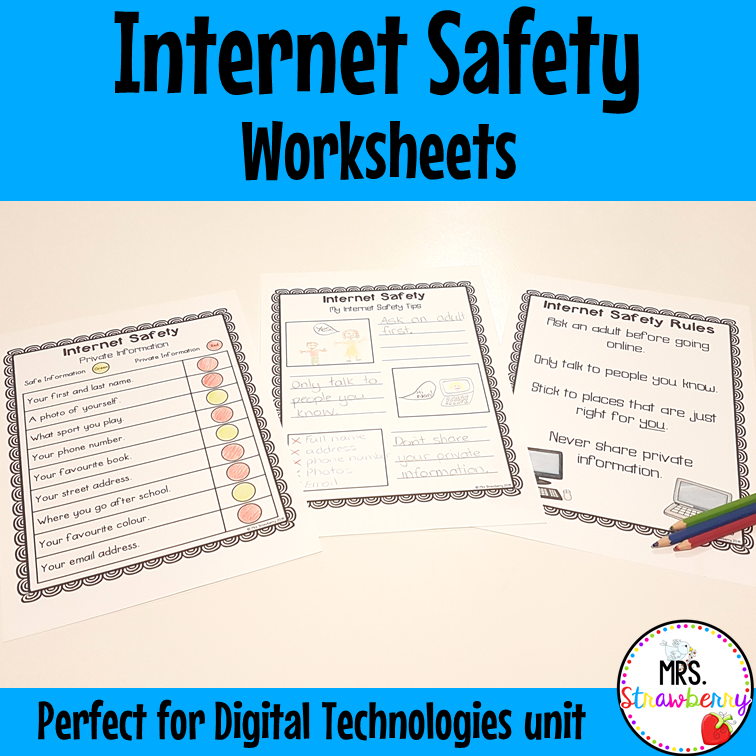
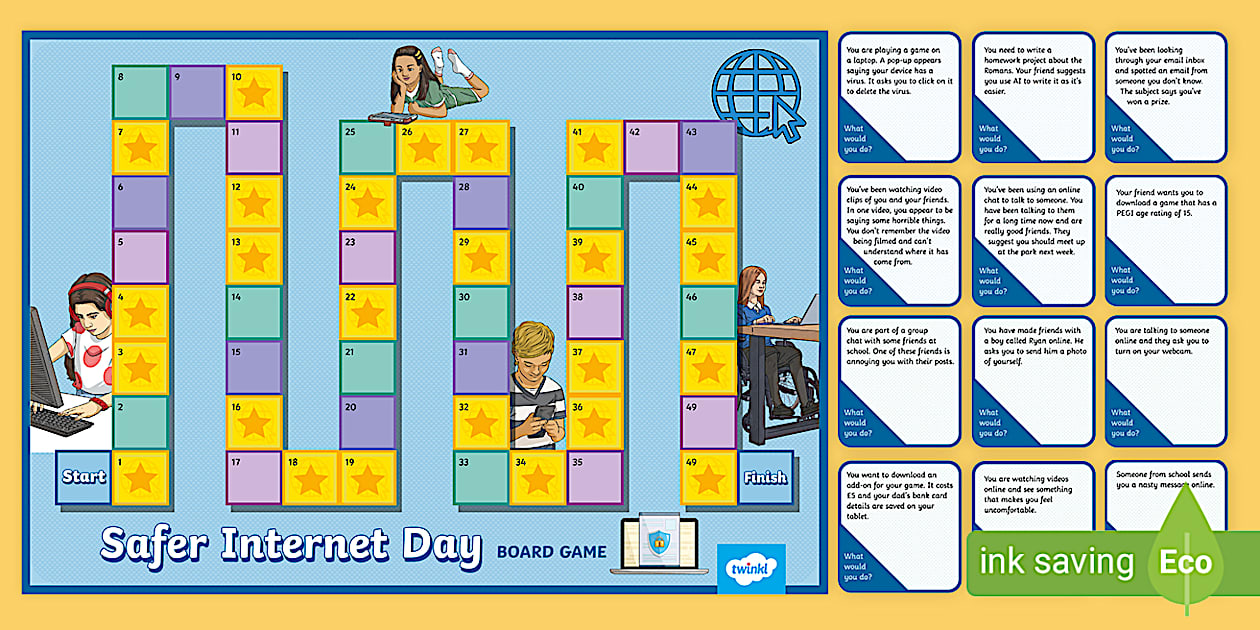
The free printable best internet safety rules for kids distills complex digital citizenship concepts into memorable, kid-friendly guidelines. Core themes focus on keeping personal details private, creating resilient passwords, pausing before clicking or sharing, and recognizing when to seek help. This resource is designed to support foundational learning found within Internet and Digital Safety modules. Children learn that usernames should never reveal real names, schools, or hometowns. The resource also emphasizes an absolute rule: children are never in trouble for reporting an uncomfortable interaction or accidental click to a trusted adult. Establishing this open communication channel remains the most effective safeguard available to families and educators.
Key Learning Outcomes
Working through these guided rules builds critical thinking competencies that extend far beyond the screen. Students learn to differentiate between public information and private data that must remain confidential. Another major focus area involves managing digital footprints and understanding that online actions leave lasting traces. According to Common Sense Media, children who engage in regular family discussions about digital habits demonstrate significantly greater resilience when facing online dilemmas. Learners also practice identifying trusted adults at home and school who can assist whenever a digital situation feels confusing or overwhelming.
How to Use This Printable
Implementation requires no advanced preparation, making it seamless for busy classrooms or quiet Sunday afternoons at home. Educators often pair these printables with engaging Worksheets to reinforce concepts through interactive scenarios and matching exercises. Sitting side-by-side with children while reviewing the material fosters a collaborative atmosphere rather than a lecture format. Reading each rule aloud and asking children to explain the concept in their own words ensures genuine comprehension. Hanging the completed or reviewed rules near shared household devices or classroom computer stations provides a steady, gentle reminder during daily screen time.
Practical Tips for Parents and Teachers
Consistency is the cornerstone of effective digital citizenship education. Adults can model positive technology habits by announcing when pausing a device is necessary or demonstrating how to evaluate online sources critically. It sounds simple, and that is the point: making conversations about technology as normal as talking about wearing seatbelts removes the stigma surrounding digital mistakes. When children encounter pop-ups or inappropriate content, responding with curiosity rather than immediate punishment keeps the lines of communication wide open. Regular check-ins transform abstract internet guidelines into living, breathing household and classroom agreements.
Age-Appropriate Recommendations
Tailoring digital safety conversations to developmental stages ensures messages resonate without causing undue anxiety. For kindergarteners and first graders, keeping devices in common family areas and sticking to pre-approved educational apps forms the baseline. Older elementary students require deeper discussions regarding in-game chat etiquette, digital empathy, and peer interactions. Grounding these lessons in the ISTE Standards for Students helps educators align digital citizenship goals with broader academic milestones. According to Pew Research Center, a vast majority of parents worry about children encountering inappropriate content, underscoring the necessity of structured, age-appropriate guidance from an early age.
Children who engage in regular discussions about digital media habits show heightened resilience when encountering online risks. — Common Sense Media
Frequently Asked Questions
How can these printables be accessed and printed? Files are available instantly in standard formats, ready for home or classroom printers without requiring specialized software. Do these materials guarantee complete safety online? Printables support conversation and habit-building, though no resource replaces active supervision and open dialogue. What do leading safety organizations recommend for younger children? According to the National Center for Missing & Exploited Children (NCMEC), keeping computers in high-traffic household areas remains a primary defense for child internet safety.
Explore More Free Kids Online Safety Printables
Expanding a digital citizenship curriculum requires a diverse array of teaching tools to maintain student engagement. Creative approaches, such as utilizing Coloring Pages, allow younger learners to internalize safety messages through artistic expression and guided dialogue. Combining visual art with comprehensive Online and Digital Safety strategies equips children with a robust toolkit for navigating connected worlds safely and confidently.
Developmental Milestone & Activity Table
| Development Stage | Recommended Daily Duration | Primary Learning Objective |
|---|---|---|
| Preschool & Pre-K | 10 – 15 Minutes | Pencil grip development & basic pre-stroke lines |
| Kindergarten | 15 – 20 Minutes | Letter/number formation & spatial line awareness |
| Early Elementary (Grade 1–2) | 20 – 30 Minutes | Fluency, sentence construction & neatness |
Images References