Why Establishing Free and Low-Cost Safeguards Matters for Modern Students
Protecting children online does not require expensive software subscriptions or enterprise-grade firewalls. Whether students are accessing school-issued Chromebooks in the classroom or browsing on budget smartphones at home, implementing affordable digital boundaries is essential. Organizations like ConnectSafely and the Cybersecurity and Infrastructure Security Agency emphasize that basic device hygiene and open communication form the bedrock of youth privacy. By focusing on smart habits rather than pricey tools, parents and educators can build a reliable safety net without breaking the bank. Related guide: 5 Cyber Safety Tips Symbols That Can Be Read By The Grede 7 Students.
💡 Educational Key Takeaways:
- Core Skill: Structured Cheap Internet Safety Rules For Kids focused on developing pencil grip, stroke control, and early literacy/math confidence.
- Target Scope: Suited for homeschoolers, preschool, kindergarten, and elementary learners.
- Best Recommendation: Practice 10–15 minutes daily with ergonomic writing tools to reinforce muscle memory without hand fatigue.
Identifying Technical Vulnerabilities and Preventive Guardrails
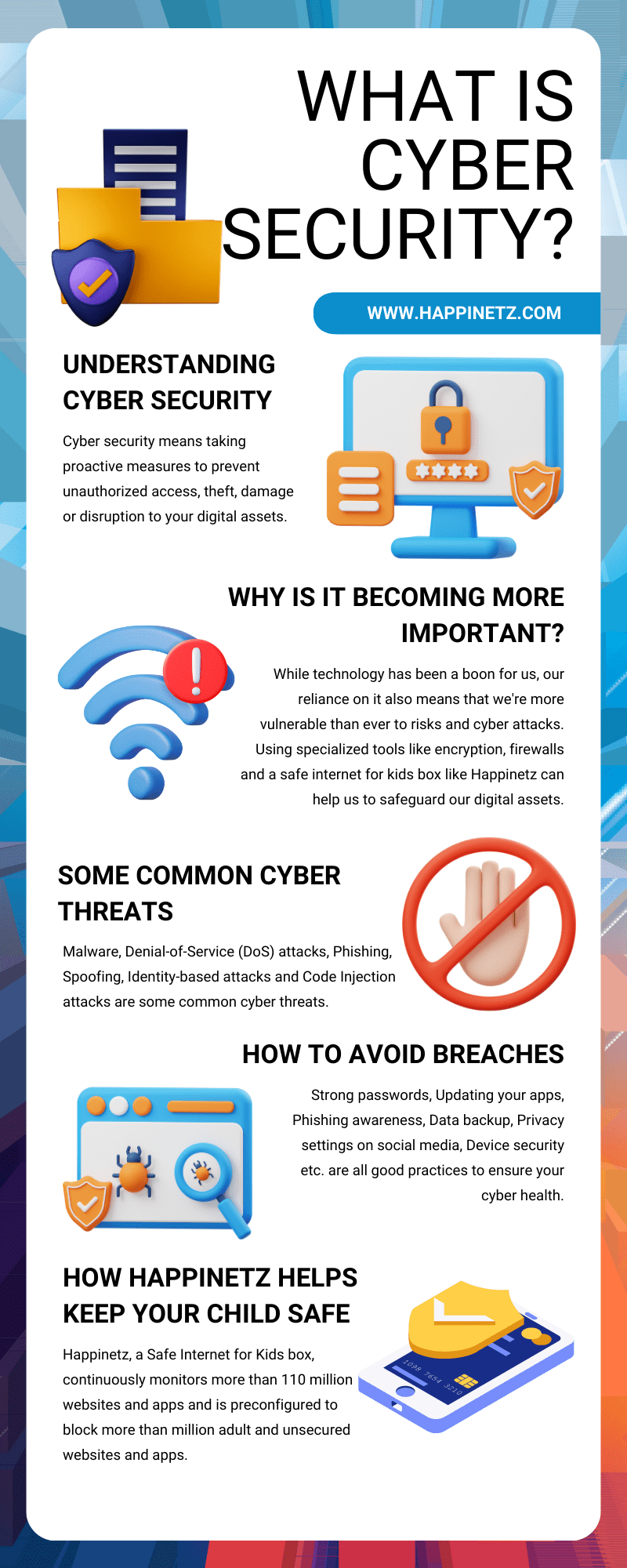
Understanding where digital safety gaps occur helps adults deploy free or low-cost fixes before minor slip-ups escalate into major security risks. From open public Wi-Fi networks to chat functions hidden inside educational apps, vulnerabilities lurk in everyday routines. The breakdown below highlights common risk signals across home and school environments alongside immediate, budget-friendly preventive measures you can apply today.
| Setting / Context | Common Vulnerability | Practical Safeguard |
|---|---|---|
| Home Devices | Unrestricted browsing profiles allowing explicit content or unverified app downloads. | Enable built-in parental controls like Apple Screen Time or Google Family Link for zero-cost device management. |
| School Chromebooks | Bypassing network filters through unauthorized browser extensions or proxy sites. | Enforce strict district policies and consult our Internet and Digital Safety guides for audit tips. |
| Social and Chat Habits | Direct messaging features enabling unsolicited contact from strangers on gaming platforms. | Disable public chat permissions, restrict account visibility to friends only, and maintain a centralized family charging station. |
Core Habits and Budget-Friendly Rules Families and Schools Can Apply
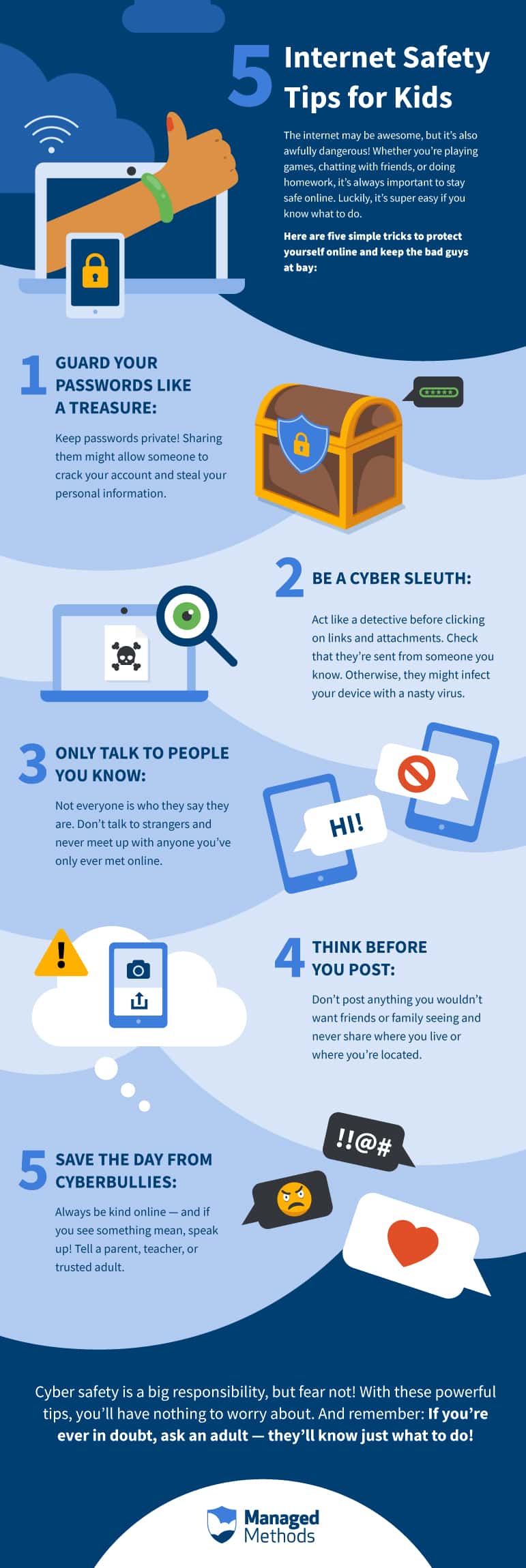
Establishing consistent routines helps bridge the gap between classroom expectations and home behavior. Start by turning digital safety into a collaborative team effort rather than a punitive list of restrictions. Designate a central family charging station in a common living area to eliminate unsupervised late-night scrolling. Encourage children to use built-in report buttons whenever they encounter cyberbullying or suspicious requests. To reinforce these lessons daily, incorporate engaging activities such as interactive Worksheets that prompt kids to think critically about privacy settings, password strength, and digital footprints.
Children are naturally resourceful, and tech-savvy students quickly discover how to bypass overly aggressive filters, delete browser history, or use secret apps. When adults react with immediate anger or total device confiscation, kids simply learn to hide their digital lives more effectively. Instead of relying solely on heavy-handed surveillance, pair your technical filters with calm, predictable conversations. Acknowledge that the digital world moves fast, and invite students to share new apps or trends they are seeing. When kids trust that reporting a mistake will lead to problem-solving rather than immediate punishment, they are far more likely to ask for help when a pop-up, scam, or online interaction goes wrong.
Frequently Asked Questions From Educators and Parents
What are the best free tools to monitor my child device usage?
Built-in operating system features like Google Family Link and Apple Screen Time offer robust web filtering, screen time limits, and app approval workflows entirely for free. Additionally, setting your home router DNS to a family-friendly provider like Cloudflare Families or OpenDNS can block malicious sites across your entire home network at no cost.
How do we handle school-issued devices that come home?
School districts typically install district-wide web filters that remain active even on home Wi-Fi networks. Parents should review the district acceptable use policy with their child, ensure the device stays in common areas during homework time, and contact the school IT department immediately if filter anomalies occur.
How early should we start teaching these digital safety rules?
Safety education should begin the moment a child interacts with any internet-connected screen, usually in early elementary school. Using age-appropriate resources like our Coloring Pages allows younger children to grasp fundamental concepts like keeping personal information private before they ever touch social media.
Continue Exploring Digital Citizenship and Safety Strategies
Building a resilient digital culture takes ongoing collaboration between parents, teachers, and school administrators. Discover more practical tips, downloadable templates, and expert guidance by visiting SafeWiredSchools.org to keep your students safe, smart, and empowered online.
Visual Reference Gallery