Introduction
Teaching children how to navigate digital spaces safely requires tools that bypass anxiety and foster genuine comprehension. Young learners process complex concepts best through tactile experiences that anchor abstract rules into concrete actions. While traditional lectures on digital boundaries often fade into background noise, creative visual exercises help concepts stick. Integrating foundational lessons into daily routines transforms intimidating compliance into empowering life skills. Coloring reinforces safety messages and opens conversation, giving children the mental space to absorb protective habits naturally. Exploring these topics through art removes the pressure of formal testing, welcoming organic questions from curious minds. Educators and caregivers frequently seek approachable methods to introduce device limits, privacy boundaries, and respectful communication without creating unnecessary fear. This free printable resource bridges the gap between creative expression and critical thinking, offering a gentle entry point into essential digital citizenship topics found within Internet and Digital Safety modules. It sounds simple, and that’s the point.
💡 Educational Key Takeaways:
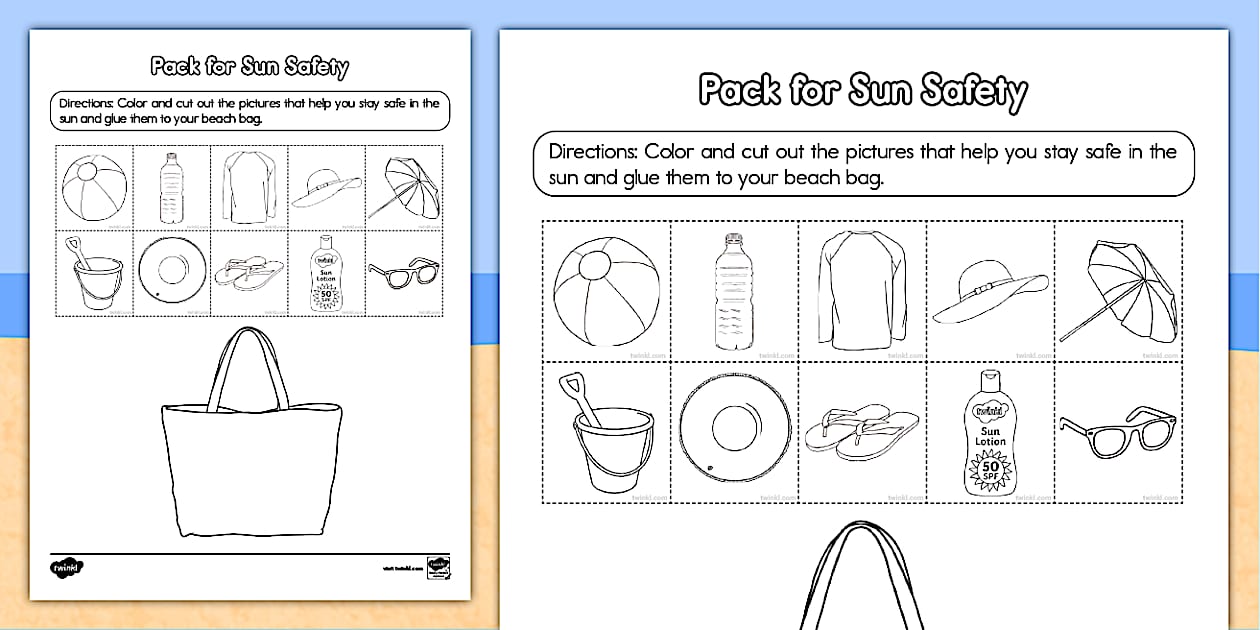
- Core Skill: Structured Colouring Sheets For Sun Safety focused on developing pencil grip, stroke control, and early literacy/math confidence.
- Target Scope: Suited for homeschoolers, preschool, kindergarten, and elementary learners.
- Best Recommendation: Practice 10–15 minutes daily with ergonomic writing tools to reinforce muscle memory without hand fatigue.
What This Printable Covers
Designed specifically for primary and elementary grades, these thematic visual activities address everyday digital interactions that children encounter. Modern youth regularly step into virtual environments through shared household tablets, open in-game chat features during collaborative play, and algorithm-driven video platforms that autoplay content. These environments present subtle moments where personal boundaries matter, such as encountering a stranger’s request for information or feeling uncomfortable with unexpected pop-ups. The sheets use friendly visual metaphors to illustrate core protective habits: keeping personal details private, recognizing trusted adults to approach when something feels off, and pausing to think before sharing a photo or comment. Children learn that digital spaces function much like physical parks—wonderful places to explore, provided basic rules remain intact. Grounding these lessons in accessible imagery helps learners remember that they are never in trouble for reporting something uncomfortable. Related guide: Please Provide Free 8.5″X11″ Digital Safety Coloring Pages For K-2 Grade.
Key Learning Outcomes
Completing these visual exercises helps children identify the difference between private information, such as home addresses or full names, and safe information to share publicly. Learners recognize the physical and emotional signals that indicate a digital interaction requires adult intervention. Recognizing these internal warning signs builds emotional intelligence alongside technical literacy. Furthermore, discussions sparked during creative sessions reinforce the golden rule of online communication: treating peers with kindness behind a screen just as one would face-to-face. Building these competencies early creates a strong foundation for future independent device use, ensuring children view safety as a toolkit rather than a restriction. Additional exercises and complementary materials are available by browsing Worksheets designed for diverse learning environments.
How to Use This Printable
Implementing these pages requires minimal preparation, making them ideal for morning work, Friday afternoon wind-down periods, or quiet family evenings at the kitchen table. Adults can introduce the page by reading the central caption aloud and inviting children to describe what the characters are doing in the drawing. As crayons move across the page, gentle prompts guide the dialogue toward real-world scenarios. Asking open-ended questions like what a character should do next invites children to problem-solve independently. Coloring reinforces safety messages and opens conversation, turning a quiet artistic exercise into an interactive coaching session. Once completed, hanging the artwork near the family computer or classroom device station serves as a cheerful, non-punitive reminder of the digital boundaries discussed.
Practical Tips for Parents and Teachers
Patience remains the primary tool when discussing technology boundaries with young learners. Adults should maintain a calm, matter-of-fact tone, treating digital safety with the same routine importance as looking both ways before crossing a street. Establishing a culture of open communication ensures that when children inevitably stumble upon confusing pop-ups or unkind messages in multiplayer games, they feel safe speaking up immediately. Never treat reporting as an inconvenience; instead, praise transparency to reinforce trust. Pairing these creative activities with a broader review of Online and Digital Safety practices helps solidify habits across multiple contexts.
Age-Appropriate Recommendations
Children in kindergarten through second grade benefit most from focusing on foundational concepts, such as identifying trusted adults and understanding physical device limits. Educators can anchor these lessons using the Common Sense Education Digital Citizenship Curriculum framework, which emphasizes media balance and privacy at early developmental stages. Older elementary students in grades three through five can handle more nuanced discussions involving digital footprints, strong passwords, and the permanence of shared content. Matching the complexity of the conversation to the developmental stage prevents overwhelm while ensuring the core message lands effectively. Every child progresses at a unique pace, making flexibility essential for successful implementation.
According to Common Sense Media research, a vast majority of children gain access to mobile devices before entering kindergarten, making early, foundational digital citizenship education essential for healthy habit formation. — Common Sense Media
Frequently Asked Questions
Explore More Free Kids Online Safety Printables
Expanding a child’s digital literacy toolkit involves continuous reinforcement through varied, engaging mediums. Educators and caregivers can access a wide assortment of complementary resources, including interactive lesson plans and creative prompts, by exploring the curated collection of Coloring Pages tailored for young learners. Consistent, positive reinforcement transforms protective habits into second nature, ensuring children grow into confident, responsible digital citizens.
Developmental Milestone & Activity Table
| Development Stage | Recommended Daily Duration | Primary Learning Objective |
|---|---|---|
| Preschool & Pre-K | 10 – 15 Minutes | Pencil grip development & basic pre-stroke lines |
| Kindergarten | 15 – 20 Minutes | Letter/number formation & spatial line awareness |
| Early Elementary (Grade 1–2) | 20 – 30 Minutes | Fluency, sentence construction & neatness |
Images References