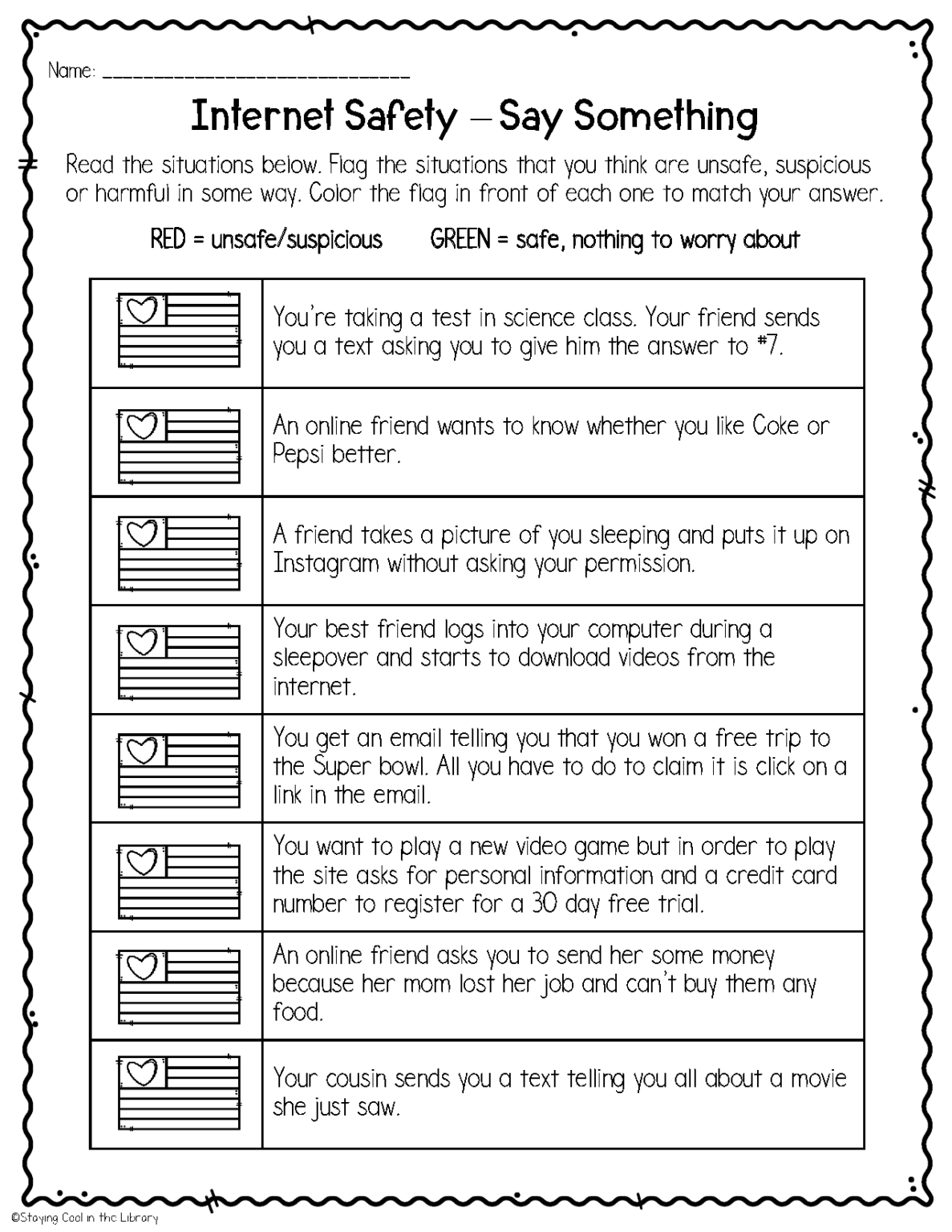
Why Foundational Digital Citizenship Lessons Matter for Young Learners
As elementary students navigate school-issued tablets, educational apps, and home devices, early digital literacy is just as vital as reading and math. Introducing safety worksheets for elementary students helps bridge abstract online concepts into concrete, understandable actions for young children. According to guidance from organizations like ConnectSafely and the Cybersecurity and Infrastructure Security Agency, teaching kids how to recognize safe online environments early builds resilience against phishing, inappropriate content, and oversharing. When educators and parents use structured, low-stress learning tools, children develop healthy tech habits before entering middle school.
💡 Educational Key Takeaways:
- Core Skill: Structured Safety Worksheets For Elementary Students focused on developing pencil grip, stroke control, and early literacy/math confidence.
- Target Scope: Suited for homeschoolers, preschool, kindergarten, and elementary learners.
- Best Recommendation: Practice 10–15 minutes daily with ergonomic writing tools to reinforce muscle memory without hand fatigue.
Technical Guardrails and Behavioral Red Flags
Implementing age-appropriate device controls requires a balance of technical filtering and attentive observation. Adults should look for sudden secrecy around screens or reluctance to log off, as these behaviors often signal accidental exposure to mature content or online peer pressure. The following breakdown highlights common device vulnerabilities across different environments and outlines the safeguards needed to protect young users.
| Setting / Context | Common Vulnerability | Practical Safeguard |
|---|---|---|
| Home Tablets & Phones | Unfiltered browser access and accidental in-app purchases | Enable parental controls, strict search filters, and require passwords for downloads. |
| School Chromebooks | Off-task web browsing during independent learning time | Utilize classroom management software and reinforce lessons from our Worksheets archive. |
| In-Game Chats & Messaging | Interaction with unverified strangers in multiplayer games | Disable public chat functions completely and restrict communication to approved friends. |
Establishing Consistent Tech Rules at School and Home
Consistency is the cornerstone of effective digital citizenship. When schools and families align their messaging, children receive clear expectations regarding device usage. Educators can integrate interactive activities found in our Internet and Digital Safety section to reinforce concepts like password secrecy and cyberbullying awareness. At home, families should establish designated charging stations outside of bedrooms overnight to promote healthy sleep habits and reduce late-night screen time. Furthermore, educators and parents must cultivate a non-punitive reporting environment where children feel completely comfortable coming forward if they encounter something unsettling online, knowing they will be met with support rather than immediate device confiscation.
Overcoming Common Student Workarounds and Pushback
Young learners are naturally curious and quickly figure out how to bypass simple restrictions, such as guessing parental PINs or opening incognito tabs. Overly draconian bans often backfire, driving children to hide their digital activities out of fear. Instead of relying solely on heavy-handed technical blocks, adults should pair system-level safety measures with transparent, ongoing dialogue. Explain the reasoning behind specific rules—such as why personal information like home addresses and full names must never be shared online. By turning safety rules into collaborative conversations, children understand that guardrails exist to protect their fun, privacy, and well-being, rather than to restrict them.
Frequently Asked Questions From Educators and Parents
At what age should children start learning digital safety?
Children can begin learning foundational concepts as early as kindergarten or first grade using age-appropriate terminology. Simple activities focused on device ownership, personal boundaries, and screen time balance set a strong stage for more complex topics later.
How can teachers use printable activities without adding to heavy workloads?
Educators can seamlessly integrate these exercises into morning meeting discussions, computer lab orientation sessions, or literacy centers. Many concepts pair naturally with reading comprehension and art projects found in our Online and Digital Safety category.
What is the best way to handle a child who accidentally visits an unsafe site?
Stay calm and praise the child for closing the window or coming to you immediately. Reinforce that mistakes happen, and emphasize that their honesty is valued far more than perfection.
Explore More Digital Citizenship Resources
Empowering children to become safe, responsible digital citizens requires ongoing education, practical tools, and shared community standards. To discover more printable guides, lesson plans, and expert advice for keeping kids secure in connected classrooms and homes, visit SafeWiredSchools.org today.
Worksheet Previews & Reference Materials