Introduction
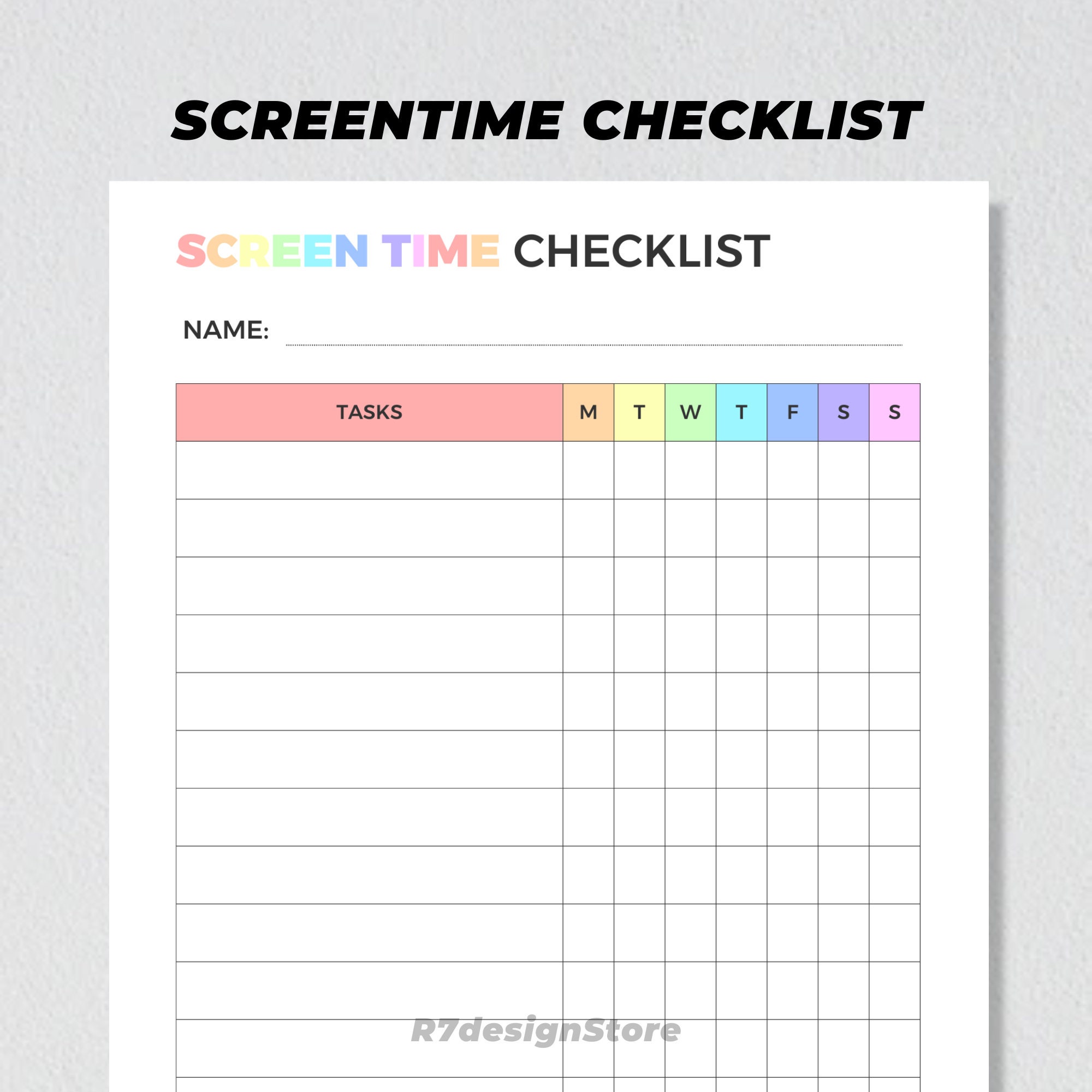
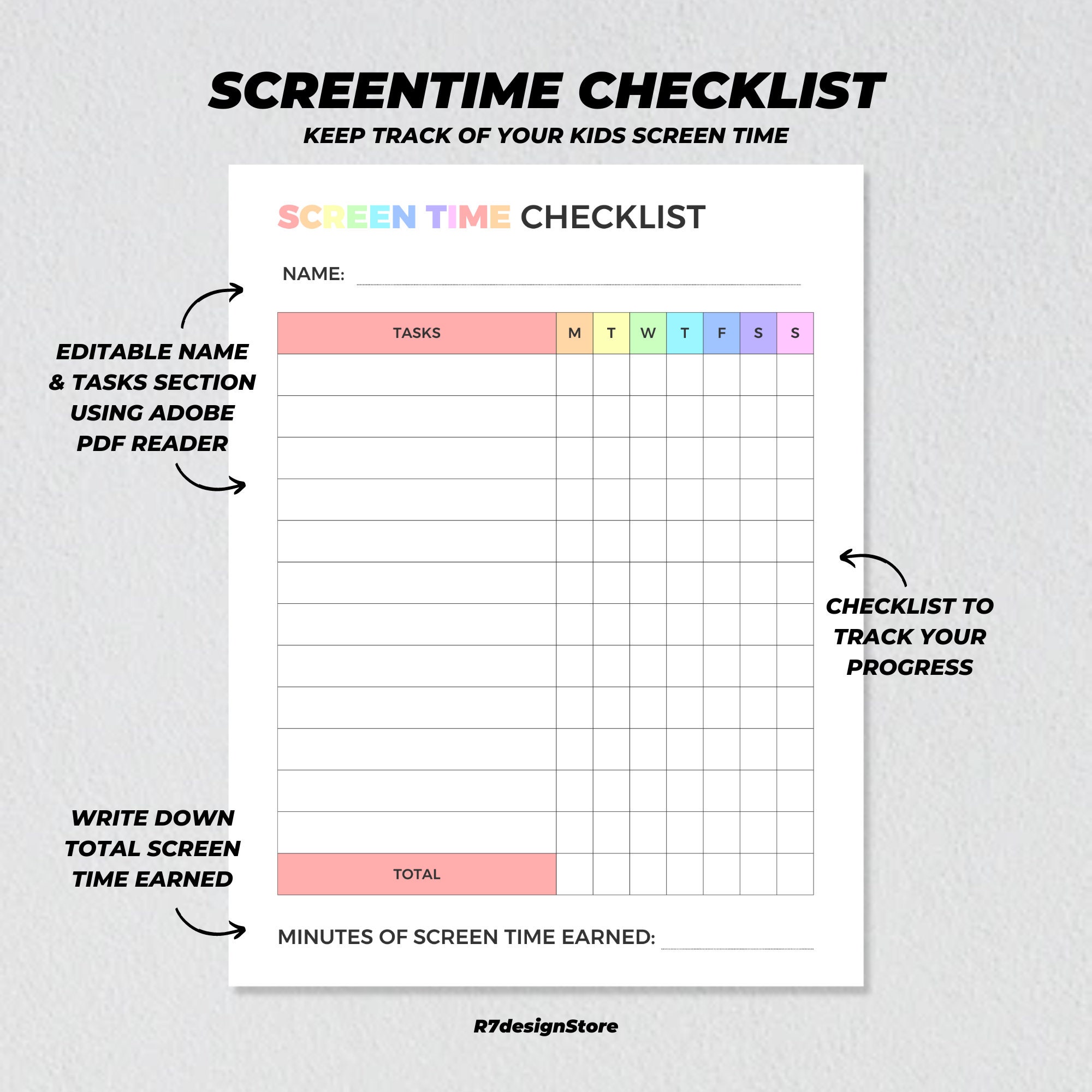
The “screen time on weekdays checklist for kids” represents a cornerstone resource for nurturing healthy digital habits in young learners. This free printable is primarily designed for Elementary and Middle School-aged children (grades 18), yet its foundational principles are adaptable for both younger and older learners with appropriate guidance. It serves as a practical, hands-on tool for reinforcing critical internet safety concepts, specifically focusing on responsible screen time management during school weeks. Educators and parents consistently trust printable worksheets for their tangible nature and direct engagement, which are proven effective in building digital awareness and promoting responsible online behavior. These resources provide a structured approach to understanding and internalizing rules for technology use, transforming abstract concepts into actionable steps children can readily follow.
💡 Educational Key Takeaways:
- Core Skill: Structured Screen Time On Weekdays Checklist For Kids focused on developing pencil grip, stroke control, and early literacy/math confidence.
- Target Scope: Suited for homeschoolers, preschool, kindergarten, and elementary learners.
- Best Recommendation: Practice 10–15 minutes daily with ergonomic writing tools to reinforce muscle memory without hand fatigue.
What This Worksheet Covers
This “screen time on weekdays checklist for kids” addresses the essential topic of balanced digital engagement and personal responsibility for online activities. The resource guides children through understanding appropriate screen time limits and encourages the development of healthy tech habits. It covers concepts such as distinguishing between educational and entertainment screen use, allocating specific times for digital activities, and balancing online interactions with essential offline pursuits like homework, physical activity, and family time. The checklist content directly connects to recognized digital citizenship standards, emphasizing self-regulation, time management, and the establishment of clear family or classroom rules for technology. It provides a framework for consistent adherence to pre-established guidelines, fostering a proactive approach to digital well-being. Related guide: Online Safety And Netiquette Lesson Plan Grade 4.
Key Learning Outcomes
Completing the “screen time on weekdays checklist for kids” develops several crucial skills and knowledge areas:
- Enhanced Self-Regulation: Children learn to monitor and manage their own screen usage, adhering to agreed-upon limits.
- Understanding Healthy Digital Habits: Awareness grows regarding the importance of balancing online activities with real-world responsibilities and interactions.
- Rule Adherence and Responsibility: The checklist reinforces the ability to follow established family or classroom tech rules, fostering a sense of accountability.
- Effective Time Management: Learners develop a practical understanding of how to allocate time for digital activities within a broader daily schedule.
- Proactive Digital Citizenship: Children acquire foundational skills for making conscious, responsible choices about their engagement with digital devices during weekdays.
How to Use This Worksheet
The “screen time on weekdays checklist for kids” offers a straightforward and highly adaptable format for effective use in diverse learning environments. The worksheet typically includes sections for daily tasks, designated screen time slots, and reflection prompts, utilizing activity types such as check boxes, simple fill-in-the-blank entries, and brief self-assessment questions. Its difficulty level is designed to be accessible for elementary and middle school students, with instructions that scaffold learning progressively, ensuring comprehension and engagement. This resource can function as a standalone activity to initiate discussions about digital habits, integrate seamlessly into a broader digital citizenship lesson plan, or be assigned as homework to promote consistent practice at home. Its clear structure supports both independent completion and collaborative efforts between children and supervising adults. Browse more guides on Safe Wired Schools.
Practical Tips for Parents and Teachers
Maximizing the educational impact of the “screen time on weekdays checklist for kids” involves thoughtful preparation and ongoing engagement.
- Establish Clear Expectations First: Before introducing the checklist, discuss and agree upon specific screen time rules and expectations for weekdays. This ensures the checklist reinforces pre-existing guidelines rather than introducing them cold.
- Collaborative Completion: Encourage children to complete the checklist with an adult initially. This provides an opportunity for guidance, discussion, and clarification, building a shared understanding of responsible screen use.
- Consistent Review and Discussion: Dedicate a few minutes each day or at the end of the week to review the completed checklist. Ask open-ended questions like, “What did you accomplish today?”, “How did you manage your screen time?”, or “What was challenging?” to foster reflection.
- Celebrate Achievements: Acknowledge and praise efforts to follow the checklist. Positive reinforcement encourages continued adherence and builds confidence in managing digital habits responsibly.
- Extend the Learning: Use the checklist as a springboard for further discussions about online safety, digital well-being, and the importance of balancing screen time with other activities like reading, creative play, or outdoor exploration.
Age-Appropriate Recommendations
The “screen time on weekdays checklist for kids” can be adapted effectively across various age groups, requiring different levels of support and engagement.
For Early Elementary Learners (Ages 5-8), the checklist functions best as a collaborative tool. Adults should guide children through each item, reading aloud and explaining concepts in simple terms. Vocabulary support is crucial; concrete examples of “educational apps” versus “entertainment games” are beneficial. Pacing should be slow, focusing on one or two items at a time. Parental involvement is high, with the adult marking off tasks or providing simple drawing prompts for completion. The emphasis remains on establishing the routine and understanding basic boundaries.
For Middle Schoolers (Ages 9-12), the checklist promotes greater independence. Learners can complete most sections autonomously, with adult supervision to ensure understanding and honest reflection. Discussions should focus on the reasoning behind screen time limits and the benefits of balanced digital habits. The checklist can serve as a personal accountability tool, encouraging self-monitoring and critical thinking about their own media consumption. Teacher involvement in a classroom setting might include group discussions about the challenges and rewards of managing screen time.
For Older Learners (Ages 13-18), the checklist can evolve into a personal digital well-being planner. While direct supervision may decrease, the principles remain highly relevant. This age group can adapt the checklist to include more complex considerations like social media usage, online study habits, and digital detox periods. The resource becomes a prompt for self-reflection and goal setting, facilitating discussions about digital citizenship, online reputation, and the impact of technology on mental health. Educators might integrate it into health or technology classes, encouraging students to customize and share their strategies for responsible digital living.
Frequently Asked Questions
Q: How can one access the free printable “screen time on weekdays checklist for kids”?
A: The “screen time on weekdays checklist for kids” is available for free download directly from SafeWiredSchools.org. Navigate to the worksheets section, locate the resource, and click the download button to save and print.
Q: What age range is most suitable for this screen time checklist?
A: This checklist is most directly applicable for Elementary and Middle School-aged children (grades 1-8). However, its core principles are adaptable, with adult guidance, for younger learners or as a self-reflection tool for older students.
Q: How often should the “screen time on weekdays checklist for kids” be used?
A: For optimal results, consistent use is recommended. Daily or weekly completion helps establish and reinforce healthy routines. Regular review fosters accountability and facilitates ongoing conversations about digital habits.
Explore More Free Printable Worksheets
A single worksheet works best when integrated into a comprehensive and consistent digital safety learning routine. The “screen time on weekdays checklist for kids” is just one component of a vast array of resources available to support digital literacy. Educators and parents are invited to explore a full collection of free printable internet safety worksheets, activity sheets, checklists, quizzes, and more at SafeWiredSchools.org Worksheets. These resources cover every internet safety topic imaginable and are meticulously designed for every grade level and learning environment, ensuring a robust and engaging educational experience for all learners.
Developmental Milestone & Activity Table
| Development Stage | Recommended Daily Duration | Primary Learning Objective |
|---|---|---|
| Preschool & Pre-K | 10 – 15 Minutes | Pencil grip development & basic pre-stroke lines |
| Kindergarten | 15 – 20 Minutes | Letter/number formation & spatial line awareness |
| Early Elementary (Grade 1–2) | 20 – 30 Minutes | Fluency, sentence construction & neatness |
Images References