Introduction
Children today navigate digital environments with remarkable dexterity long before they master shoe-tying or long division. Tablets, school-issued Chromebooks, and family gaming consoles become natural extensions of the living room and classroom. Yet, digital spaces require the same foundational boundaries taught in physical neighborhoods. Adults often worry about complex threats, but children usually encounter online risks through casual avenues like shared family devices left logged into accounts, in-game chat features within popular building games, or auto-playing video platforms. Building healthy digital habits does not require fear or restriction. Instead, it calls for proactive skill-building. Utilizing free printable safety and personal information worksheets for kids provides a tangible, low-pressure way to introduce essential digital citizenship concepts to elementary students.
💡 Educational Key Takeaways:
- Core Skill: Structured Safety And Personal Information Worksheets For Kids focused on developing pencil grip, stroke control, and early literacy/math confidence.
- Target Scope: Suited for homeschoolers, preschool, kindergarten, and elementary learners.
- Best Recommendation: Practice 10–15 minutes daily with ergonomic writing tools to reinforce muscle memory without hand fatigue.
WhatThis Printable Covers
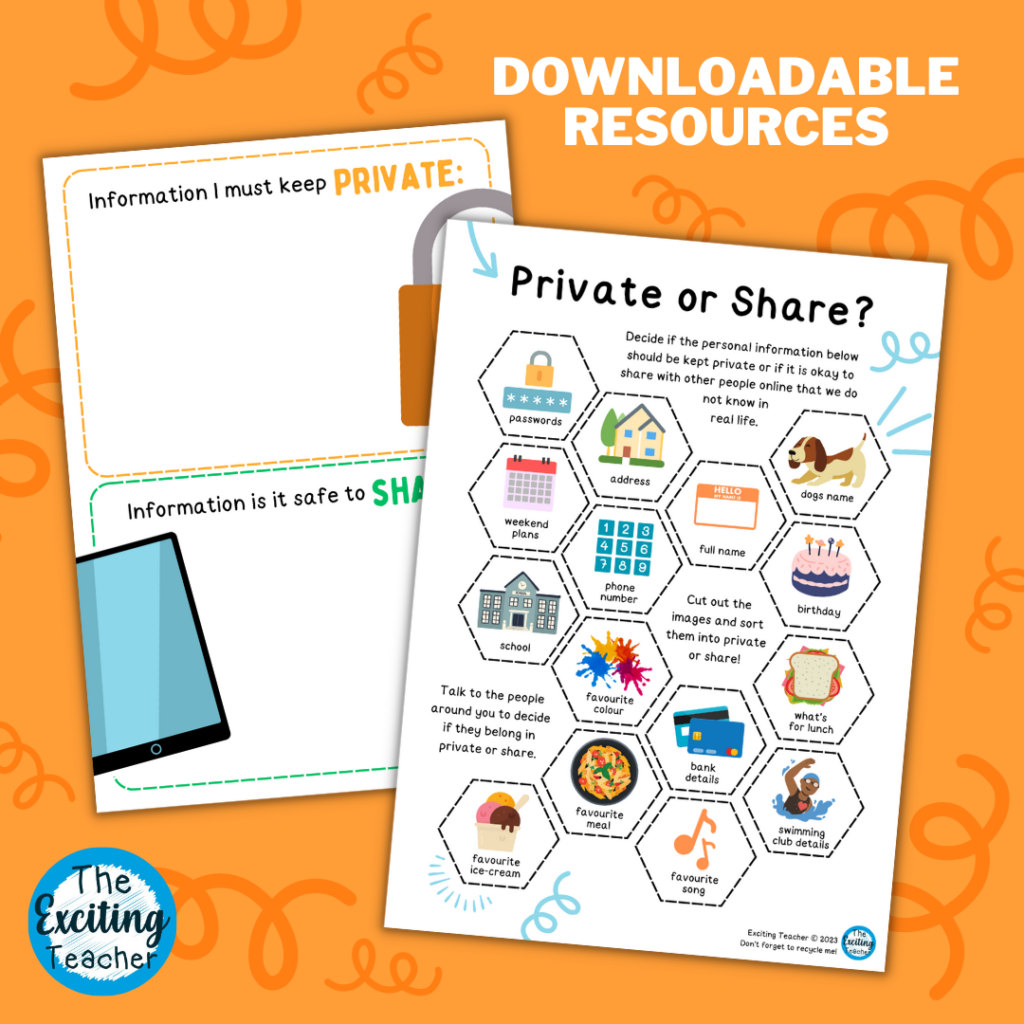
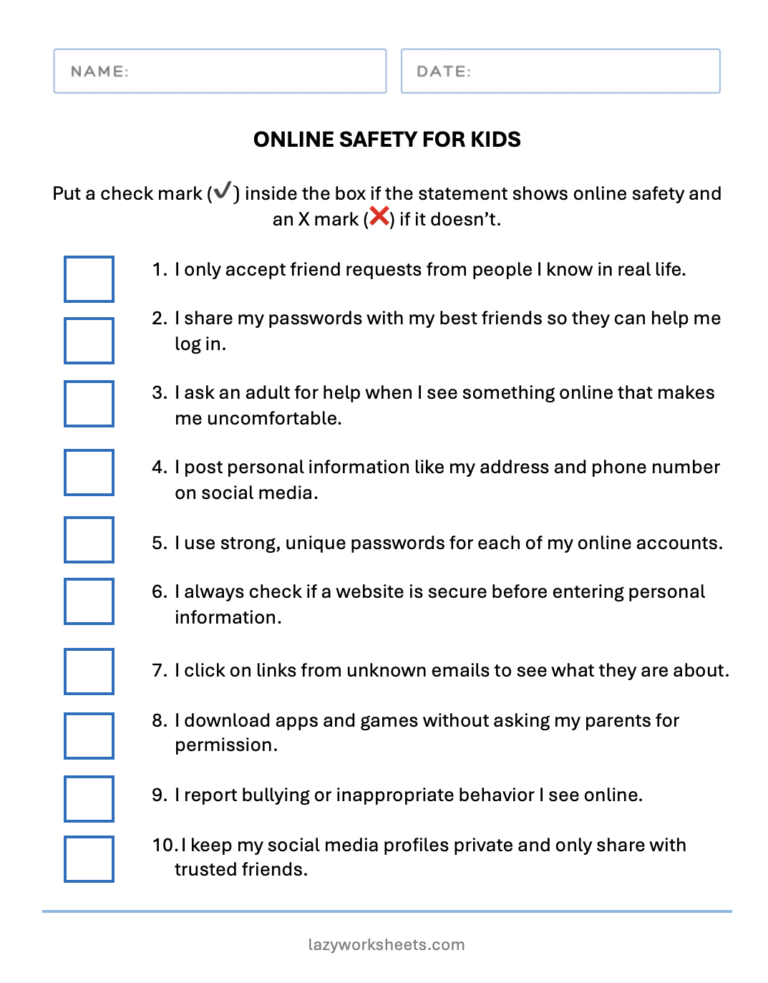
Paper activities bridge the gap between abstract internet rules and concrete understanding for young learners. This specific resource focuses heavily on distinguishing between public data and private details, a foundational pillar found across robust Internet and Digital Safety curricula. Students explore concepts such as full names, home addresses, school names, and telephone numbers through guided writing prompts and scenario matching. Rather than listing forbidden actions, the pages guide children to identify what belongs safely in their offline lives versus what should never be typed into a digital form. Furthermore, the printables normalize seeking help from a trusted adult when something online feels confusing, surprising, or uncomfortable. Crucially, every lesson reinforces the absolute rule that children are never in trouble for reporting an online mistake.
Key Learning Outcomes
Working through these exercises helps children internalize specific protective behaviors that safeguard their digital footprint. Learners discover how to create strong passwords using memorable phrases instead of easily guessed birthdates. They practice the crucial pause-and-think method before clicking links or sharing photographs. According to the Federal Trade Commission, educating children early about personal data helps prevent identity theft and minimizes accidental exposure to inappropriate content. Educators and caregivers can explore additional foundational tools by browsing curated Worksheets designed for various elementary grade levels. The primary goal remains empowerment: treating safety as a superpower rather than a punishment.
How to Use This Printable
Integrating paper-based activities into a daily routine allows for organic conversations without the distraction of glowing screens. Teachers might introduce a page during morning meetings or computer lab orientation as a pre-tech warm-up. Parents can slide the sheet into a plastic sleeve and use dry-erase markers during a quiet kitchen afternoon, turning safety rules into a collaborative puzzle. It sounds simple, and that is the exact point. Removing the device during the initial instruction lowers cognitive load, enabling children to focus entirely on the social and emotional aspects of digital interaction. Grown-ups should model vulnerability by sharing their own thought processes around password creation and privacy.
Practical Tips for Parents and Teachers
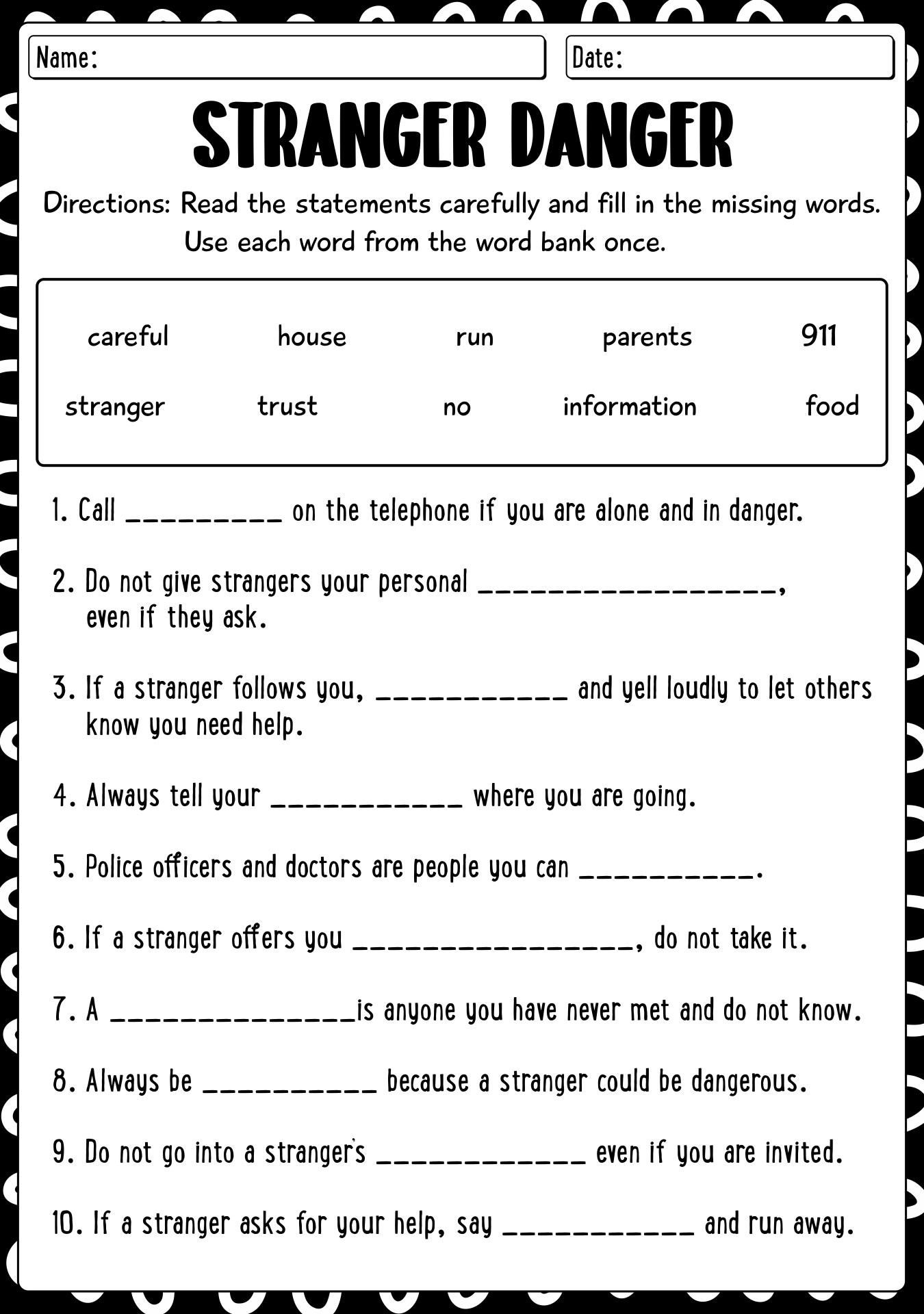
Facilitating these discussions requires patience, curiosity, and a non-judgmental stance. Here’s what makes this resource different: it relies on role-playing rather than lecturing. Adults can read sample online scenarios aloud and ask children to sort them into safe and unsafe categories. When a child answers incorrectly, treat it as a teaching moment rather than a behavioral infraction. Establishing a calm environment ensures that students feel psychologically safe to admit when they have made a digital error. Consistency matters more than intensity, meaning brief weekly check-ins yield better long-term retention than a single, high-stakes lecture on internet dangers.
Age-Appropriate Recommendations
Cognitive development dictates how children process digital risks across the five-to-twelve age spectrum. For five and six-year-olds, instruction centers on identifying trusted grown-ups and understanding that computers talk to strangers globally. According to Common Sense Media research, younger elementary students frequently encounter media through shared household devices where account boundaries blur easily. Moving into the eight-to-ten age bracket, children begin using independent communication channels like multiplayer game chats, making password hygiene and personal data privacy critical. Educators aligning lessons with the International Society for Technology in Education (ISTE) Standards for Students will find that these printables effectively support digital citizen competencies by encouraging responsible, safe participation in digital communities. Pre-teens ages eleven and twelve benefit from critically evaluating online requests for information, recognizing subtle peer pressure tactics, and understanding the permanent nature of their digital footprint.
Young children frequently encounter digital media and communication features through shared household devices where account boundaries blur. — Common Sense Media
Frequently Asked Questions
How do I download and print these safety worksheets?
Simply click the download button on the resource page to save the PDF file to any computer or mobile device, then print using standard letter paper.
How does this resource support online safety learning?
It bridges abstract internet rules and concrete understanding through low-pressure writing prompts and scenario-based activities.
What does the Federal Trade Commission recommend regarding kids online?
The Federal Trade Commission emphasizes educating children early about safeguarding personal data to prevent identity theft and minimize exposure to inappropriate digital content.
Explore More Free Kids Online Safety Printables
Expanding a digital citizenship library ensures that children receive diverse, engaging reinforcement throughout the school year. Educators looking for alternative formats can discover creative approaches by visiting Coloring Pages, which utilize visual storytelling to help younger learners process safety concepts. Combining art with digital literacy sparks meaningful dialogue at home and in the classroom. For broader curricular planning, adults can review comprehensive strategies found in Online and Digital Safety modules. Every shared conversation brings children one step closer to becoming confident, capable, and secure digital citizens.
Developmental Milestone & Activity Table
| Development Stage | Recommended Daily Duration | Primary Learning Objective |
|---|---|---|
| Preschool & Pre-K | 10 – 15 Minutes | Pencil grip development & basic pre-stroke lines |
| Kindergarten | 15 – 20 Minutes | Letter/number formation & spatial line awareness |
| Early Elementary (Grade 1–2) | 20 – 30 Minutes | Fluency, sentence construction & neatness |
Images References