Introduction
Children navigate digital spaces with the same natural curiosity they bring to a physical playground. Modern childhood involves shared family tablets, multiplayer game chats, and educational video platforms that blur the lines between entertainment and connection. Navigating these environments requires distinct protective habits rather than constant surveillance. Adults often struggle to introduce digital boundaries without causing fear or secrecy. This printable activity on sharing personal information online transforms abstract data privacy concepts into tangible, approachable learning moments for elementary learners.
💡 Educational Key Takeaways:
- Core Skill: Structured Printable Activity – Sharing Personal Information Online focused on developing pencil grip, stroke control, and early literacy/math confidence.
- Target Scope: Suited for homeschoolers, preschool, kindergarten, and elementary learners.
- Best Recommendation: Practice 10–15 minutes daily with ergonomic writing tools to reinforce muscle memory without hand fatigue.
What This Printable Covers
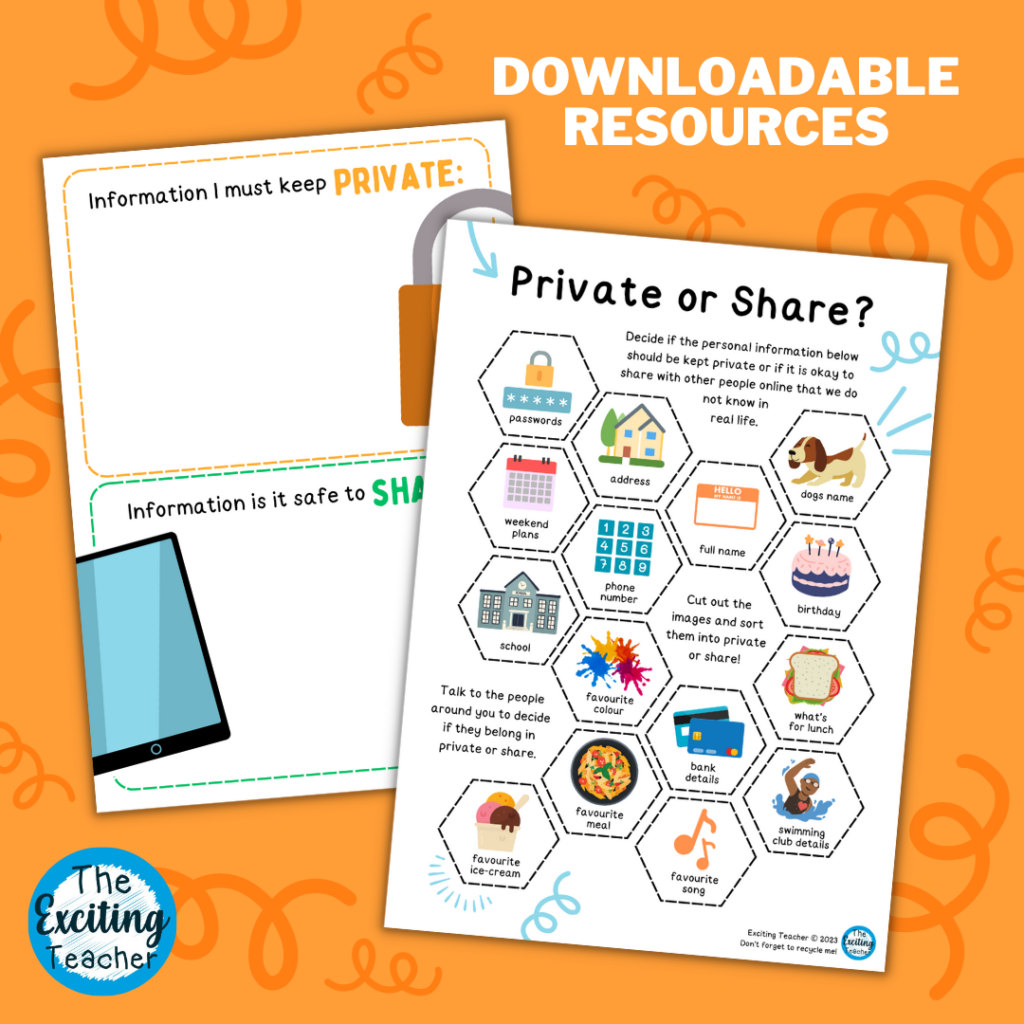
The resource centers on distinguishing between safe information and private data. It guides children through scenarios they encounter regularly in digital spaces, such as creating usernames, interacting in virtual worlds, and filling out online registration forms. The activity breaks down complex privacy policies into kid-friendly choices. Participants practice identifying what constitutes private details—including full names, home addresses, school names, and telephone numbers—versus harmless preferences like favorite colors or fictional characters.
Key Learning Outcomes
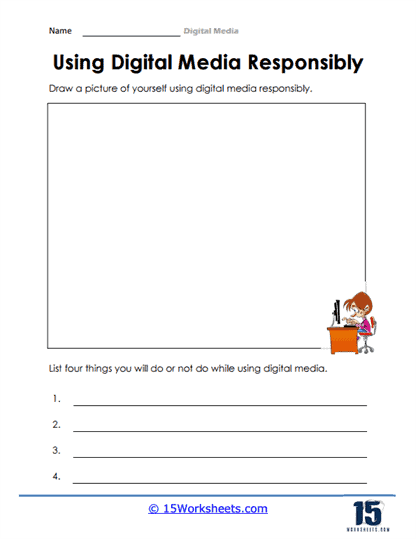
Completing this exercise builds critical thinking around digital footprints. Learners develop the habit of pausing before submitting information online. It sounds simple, and that’s the point. Habit-building relies on repeated, low-stakes practice. Children also learn the crucial protocol of consulting a trusted adult whenever a platform asks for unexpected details. Most importantly, the lesson reinforces that children are never in trouble for reporting something uncomfortable or confusing they encounter on a screen.
How to Use This Printable
Facilitators can integrate the activity into a morning advisory circle, a computer lab orientation, or a rainy-day kitchen table discussion. Distributing the pages initiates an organic conversation about internet habits without sounding like a lecture. Adults can read through the scenarios together, pausing to ask open-ended questions about how fictional characters should respond. Turning the worksheet into a collaborative puzzle rather than a graded test keeps engagement high and anxiety low. For broader lessons, educators frequently pair this exercise with broader Internet and Digital Safety modules to cement core concepts.
Practical Tips for Parents and Teachers
Facilitating these discussions works best when focusing on empowerment rather than restriction. Educators and parents should share examples of times they paused to evaluate online forms themselves, modeling metacognition in real-time. Creating a supportive environment ensures children feel comfortable raising questions about pop-ups, game downloads, or chat messages. To reinforce these foundational habits across different subjects, adults often incorporate supplementary Worksheets designed for diverse learning styles and developmental stages.
Age-Appropriate Recommendations
Digital citizenship education adapts across the elementary years, aligning closely with the Common Sense Education Digital Citizenship Curriculum framework. Five-year-olds benefit from basic recognition of public versus private items using physical sorting games. Second and third graders explore the permanence of digital actions and why usernames protect real identities. Upper elementary students tackle nuanced situations involving peer communication, profile visibility settings, and platform algorithms. According to Common Sense Media, children engage with digital media at increasingly younger ages, making early, scaffolded conversations essential for healthy tech habits.
According to Common Sense Media, young children spend hours daily with screen media, highlighting the need for proactive guidance on data privacy and sharing habits. — Common Sense Media
Frequently Asked Questions
How do adults access and print this resource? The material downloads instantly as a standard PDF file, ready for home or classroom printers without requiring specialized software. Does this activity guarantee online safety? No single page or rule prevents all risks; instead, this tool supports conversation, critical thinking, and healthy habit-building. What does the Federal Trade Commission recommend regarding children’s online privacy? According to the FTC, families should establish clear household rules about never sharing personal identifiers like home addresses or school names on interactive platforms.
Explore More Free Kids Online Safety Printables
Expanding a digital citizenship curriculum requires a diverse toolkit of educational materials. Adults can explore additional resources dedicated to Online and Digital Safety to keep lessons fresh and engaging. Consistent reinforcement across multiple formats helps children internalize protective habits naturally. Pairing written prompts with creative elements from collections like Coloring Pages offers younger learners a balanced, anxiety-free approach to mastering essential internet safety skills.
Developmental Milestone & Activity Table
| Development Stage | Recommended Daily Duration | Primary Learning Objective |
|---|---|---|
| Preschool & Pre-K | 10 – 15 Minutes | Pencil grip development & basic pre-stroke lines |
| Kindergarten | 15 – 20 Minutes | Letter/number formation & spatial line awareness |
| Early Elementary (Grade 1–2) | 20 – 30 Minutes | Fluency, sentence construction & neatness |
Images References